The classics are already free to listen to — this puts them one click from the book page
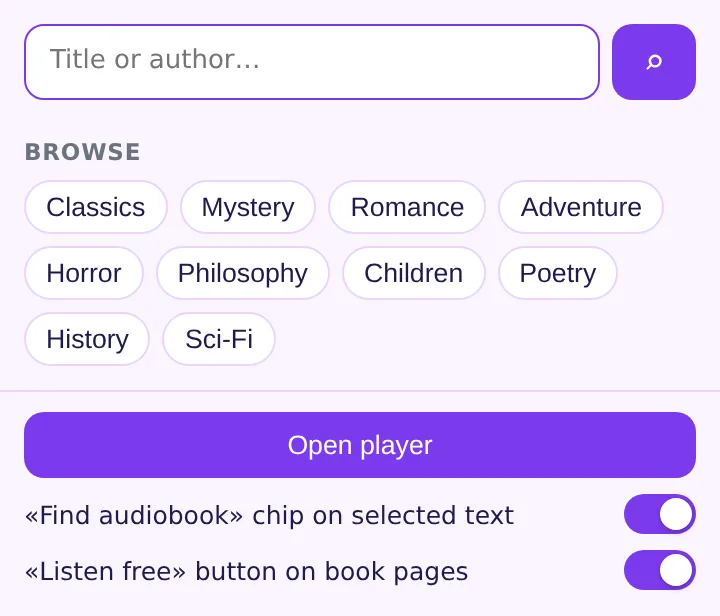
Search 19,000+ LibriVox recordings from the toolbar, play them in a tab that keeps going while you browse, and get a «Listen free» button wherever a book is mentioned. No subscription, no account, positions saved on your device.
Add Free Audiobooks to Chrome — free
- 19,000+ books, LibriVox + archive.org, public domain
- Chapters, ±30 s, speed 0.75–2×, sleep timer
- Resume per book, library with progress
Finding a free audiobook takes longer than listening to the first chapter
You are on the book's page, decide you would rather listen, and the options are a subscription trial, a credit system or a library app with a waiting list. The volunteer recording of that very book has existed on LibriVox for ten years — but you would have to know that, search a second site, download a zip of MP3s and remember where you stopped.
See «Listen free» where you already are
On Goodreads, Amazon, Google Books, Wikipedia, Project Gutenberg, StoryGraph, Audible or LibraryThing the extension checks LibriVox for the title and author and shows a button when a recording exists. Select a title in any text for the same chip.
Press play, keep browsing
The player opens in its own tab with the chapter list, play/pause, ±30 seconds, speed from 0.75× to 2× and a sleep timer. Close the book page; the audio continues.
Come back tomorrow
Every book remembers its chapter and position. The library lists what you started with a progress bar for each — Austen at 74 %, Verne just begun.
What you get
A free audiobook library in the browser: the LibriVox catalogue searchable by title, author or genre, each entry with length, language and reader; a player with chapters, speed, sleep timer and automatic resume; and the book pages you already read telling you when a recording exists. Lookups send only the title and author to librivox.org, the audio streams from archive.org, and your library stays in Chrome's local storage.
Reading list for a literature course
A student opens each novel on Goodreads; four of six show «Listen free». Dracula goes on at 1.5× during the commute, position saved at every stop.
Falling asleep to Marcus Aurelius
Sleep timer at 30 minutes, speed 0.9×. The next evening the Meditations resume from the paragraph where the timer cut out.
Fairy tales for the kitchen
Search «fairy tales», pick the Grimm collection, chapter list open on the tablet; the chapter changes while the dishes get done.
Compared with other ways of listening to classic books
| Audiobook subscriptions | Monthly fee or credits for books that are in the public domain | Free Audiobooks: Free recordings, no account |
|---|---|---|
| librivox.org directly | Another site, zip downloads, no resume across sessions | Free Audiobooks: Search and play in the browser, position saved per book |
| Library apps | Waiting lists and loan periods for popular titles | Free Audiobooks: Nothing to borrow — the recording is always available |
FAQ
Are the audiobooks really free?
Yes. LibriVox recordings are made by volunteers of books in the public domain and hosted by archive.org; there is no fee, trial or account.
Which books are available?
Mostly works published before 1929 in the US public domain: Dickens, Austen, Verne, Doyle, Stoker, Twain, philosophy, poetry, fairy tales, in many languages. Recent bestsellers are not in the public domain and are not included.
Does it remember where I stopped?
Yes — each book keeps its chapter and position in Chrome's local storage, and the library shows a progress bar per book.
Which book sites show the «Listen free» button?
Goodreads, Amazon book pages, Google Books, Wikipedia articles about novels, Project Gutenberg, StoryGraph, Audible and LibraryThing. On any other page, select the title to get the chip.
What does the extension send anywhere?
Only the title and author of the book being looked up, to the LibriVox API. The player, library, search and the book-page button are free; opening the first few books is included and ExtSpace Pro removes that limit.

Free Audiobooks
Listen to free public-domain audiobooks in Chrome: search LibriVox, play with chapters, speed and sleep timer, resume automatically, and see a «Listen free» button on Goodreads, Amazon and Wikipedia book pages.
Add Free Audiobooks to Chrome — free Video Trimmer & Cutter
 Noise — White Noise & Background Sounds